

Why Traditional Presentations Struggle to Hold Attention and What Engages Audiences Instead
Many business presentations fail to hold attention because they rely on a passive model: one person speaks while everyone else listens. Even when a presenter delivers every planned point, critical information is often lost if the audience is fumbling with poor visibility, echoing audio, or technology that breaks the flow of the meeting.
Modern audiences need clearer reasons to stay involved. They need information that is structured around what matters to them, visuals that make ideas easier to understand, opportunities to participate, and an environment that supports the communication instead of competing with it. Current guidance around interactive presentations reflects this shift, increasingly emphasizing two-way participation rather than passive observation.
This changes the question businesses should be asking.
Instead of asking, “How do we make better slides?” the more useful question is, “How do we create a presentation experience that helps people stay connected to the message?”
Because an effective presentation is no longer just a deck on a screen. It is the combination of content, storytelling, participation, visuals, sound, technology, and the space itself working together to make communication clear, intuitive, and worth paying attention to.
What Is Presentation Audience Engagement?
Audience engagement in a business setting isn’t about entertainment or gamification; it is the metric of whether an audience can process information quickly enough to make a decision. An engaged audience does not just look at a screen; they analyze a comparison, interpret a trend, and discuss concrete next steps.
In a business setting, that involvement can take several forms. An audience may ask questions, respond to a poll, discuss a recommendation, interpret a visual, compare options, or connect the presentation to a decision they need to make. Even when there is no formal interaction, a well-designed presentation can keep people engaged by making the information easy to follow and relevant to their needs.
Attention Is Not the Same as Participation
A person can be paying attention without actively participating, and someone can participate without being meaningfully engaged.
For example, a poll can get people to click or raise their hands, but that does not automatically mean they are engaged. The interaction only matters if it helps them understand the topic or take part in the conversation.
On the other hand, an audience can be quiet and still be fully engaged. In an executive presentation, people may be listening closely, comparing options, and thinking through a decision even if they are not speaking.
Strong presentation audience engagement usually depends on several factors working together:
The audience understands why the topic matters.
The information follows a clear and logical structure.
Visuals support the message instead of competing with it.
People can see and hear the presentation comfortably.
The audience has opportunities to think, respond, or contribute when appropriate.
The presentation connects information to a practical outcome, decision, or next step.
This is why engagement should not be reduced to adding more activities. The goal is to keep people connected to the message in a way that helps them understand, respond, and stay involved.
Why Engagement Matters in Business Presentations
In business environments, presentations are rarely created for information alone. They are usually meant to influence what happens next.
A sales presentation may need to build confidence in a recommendation. A board meeting may need to help leaders evaluate risk. A training session may need employees to understand and apply a new process. A client presentation may need to communicate complex ideas clearly enough to support a decision.
When engagement drops, the consequences can be practical.
Important details may be missed. Questions may go unasked. Decisions may be delayed. Training may need to be repeated. A strong idea may appear weaker simply because it was difficult to follow.
That makes audience engagement a communication issue, not an entertainment metric.
A strong presentation experience helps people understand what matters, stay focused on the message, and participate when it makes sense.
Once that distinction is clear, the next question becomes more important: why do so many traditional presentations make that level of engagement difficult to sustain?
Why Do Traditional Presentations Struggle to Hold Attention?
Traditional presentations often struggle to hold attention because they place most of the communication burden on the presenter while asking the audience to remain passive for long stretches of time.
The issue is not the presentation software itself. Slides can clarify complex ideas, reinforce important points, and guide an audience through a message. Problems begin when the presentation becomes a one-way stream of information and the audience has little reason to process, question, or respond to what they are seeing.
Research into audience engagement has identified similar limitations in conventional speaker-led formats, where the speaker controls the exchange and the audience primarily listens. That passive structure can make distraction and disengagement more likely.
1. They Treat the Audience as Information Recipients
The traditional presentation model is straightforward:
Presenter → Slides → Audience
The presenter explains. The slides display. The audience listens.
There are situations where this works well, particularly when the presentation is short or the information is simple. But as the amount of information increases, the limitations of that model become more visible.
The audience has few opportunities to influence the conversation, test its understanding, connect the information to its own experience, or signal that something needs clarification.
That creates an important communication gap.
A presenter may finish explaining a point and assume everyone understands it. Meanwhile, someone in the room may have interpreted the information differently, missed a connection, or stopped following several slides earlier.
A more engaging presentation changes the audience's role from passive recipient to active participant. That does not mean every meeting needs constant polls, games, or activities. Participation can be as simple as asking people to evaluate an option, respond to a question, discuss an implication, or contribute their perspective.
The important shift is that communication begins moving in both directions.
2. They Try to Communicate Too Much at Once
A presentation can contain valuable information and still make that information difficult to absorb.
Consider a familiar slide: a headline at the top, seven bullet points on the left, a chart on the right, several numbers highlighted in different colors, and a paragraph explaining what the data means.
While the presenter speaks, the audience has to decide what deserves attention first.
Should they read the bullets?
Study the chart?
Listen to the explanation?
Write down the numbers?
Trying to do all of these at once creates unnecessary cognitive work.
Recent research on slide design describes the problem clearly. Dense slides that combine text, labels, diagrams, decorative visuals, and spoken narration can increase extraneous cognitive load because the audience must decide where to direct attention while processing several forms of information simultaneously.
The result is often a presentation that contains more information while communicating less clearly.
A stronger approach is to decide what the audience needs to understand at that specific moment and design the screen around that idea.
If a chart matters, make the chart understandable.
If one number matters, make that number visible.
If the explanation requires the presenter, allow the presenter to provide it rather than placing the entire explanation on the screen.
This does not mean every slide must be minimal. Complex business presentations sometimes require detailed information. The goal is to create hierarchy so the audience can immediately understand where to look and what matters most.
3. The Slides Become the Presentation
Slides are meant to support communication. In many traditional presentations, they gradually become the communication.
The deck becomes the presenter’s script, the audience’s document, the visual aid, and the permanent record of the meeting at the same time.
That creates conflicting demands.
A detailed document needs enough information to make sense when someone reads it alone. A presentation slide serves a different purpose. It needs to help people understand what the presenter is communicating in that moment.
When the same slide tries to perform both jobs, audiences often end up reading paragraphs while the presenter explains those same paragraphs aloud.
That divided attention can make the message harder to process. Presentation guidance and research consistently warn that excessive on-screen text forces audiences to choose between reading and listening, while text-heavy slides can also encourage presenters to read directly from the screen.
The stronger model is simple:
The presenter carries the explanation. The slide makes the explanation easier to understand.
A slide might show a single comparison while the presenter explains why the difference matters. It might reveal a trend while the speaker provides context. It might display an image, diagram, or key figure that would take much longer to communicate verbally.
In that role, slides become useful again.
They are no longer competing with the presenter for attention. They are helping direct attention toward the message.
And that leads to a deeper issue behind many disengaging presentations: even when the content is valuable, the way information is structured can make the audience work harder than necessary to follow it.
Why the Presentation Room Has a Bigger Impact on Attention Than Most Leaders Realize
When a presentation loses attention, the presenter usually gets blamed first.
Maybe the slides were too dense. Maybe the delivery was too slow. Maybe the audience was distracted.
But there is another factor that business leaders often overlook: the room itself.
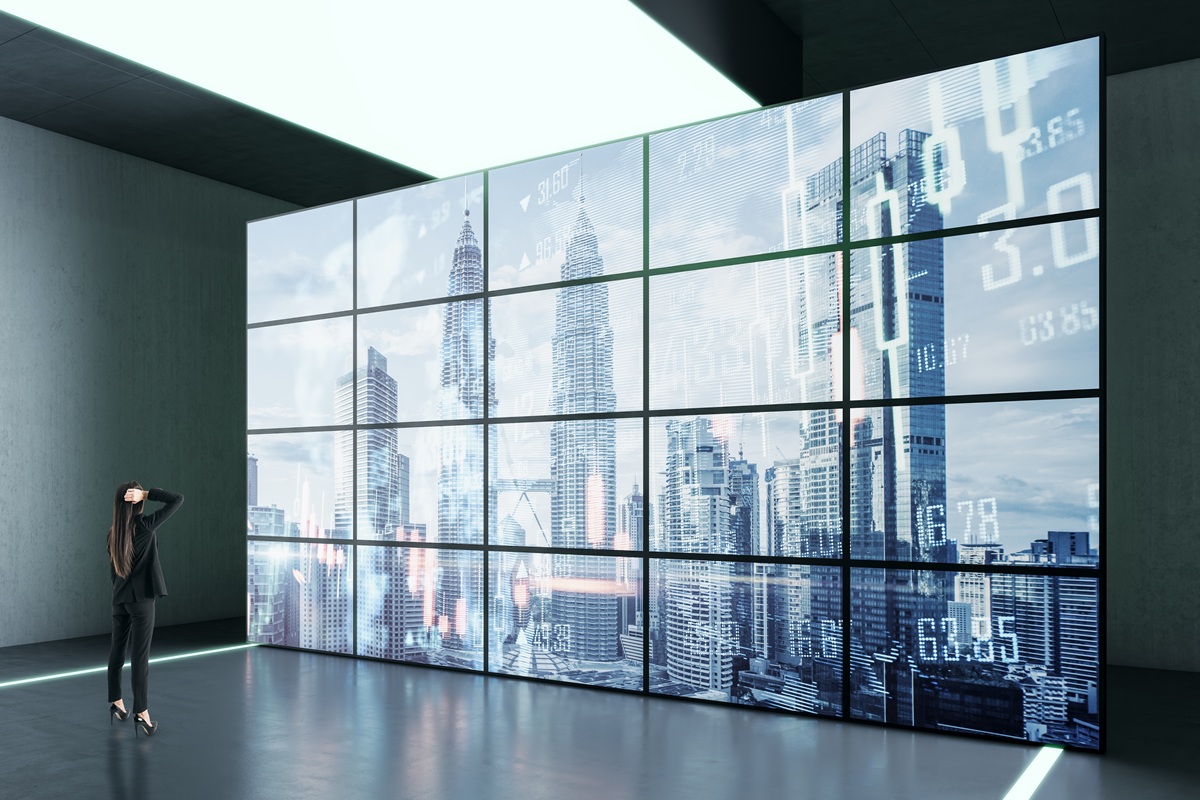
A presentation takes place inside a physical environment. That environment determines whether people can clearly see the content, comfortably hear the speaker, participate without friction, and stay connected to what is happening in the room.
When those conditions are weak, even a strong presentation has to work harder to hold attention.
AVIXA's guidance on conference room design makes this connection clear. Sightlines, acoustics, room dimensions, displays, audio systems, seating arrangements, and technology access all influence how effectively people can communicate and collaborate inside a meeting space.
The presentation experience begins before the first slide appears.
Poor Visibility Forces the Audience to Work Harder
A presentation screen may technically be visible without being comfortable to watch.
Someone sitting near the front may have a perfect view, while a person at the back struggles to read smaller text. A participant seated at an angle may lose contrast or visibility. Natural light may wash out the display. A large boardroom may rely on one screen that was never designed for the viewing distances involved.
Every one of these issues creates friction.
Instead of focusing entirely on the message, part of the audience's attention is being spent trying to see it.
That becomes particularly important when presentations contain detailed information such as financial data, architectural plans, dashboards, product demonstrations, or strategic comparisons.
The room should make that information easier to understand.
Display size, placement, viewing distance, seating position, and sightlines all need to work together. Current conference room design guidance emphasizes planning these elements around room size and participant needs rather than selecting a display in isolation.
A larger screen is not automatically the solution either.
The right question is whether everyone in the space can comfortably see the information that matters from where they are sitting.
Poor Audio Quietly Drains Engagement
Visual problems are easy to notice. Audio problems are often more subtle.
The speaker may sound clear near the front of the room but distant at the back. A microphone may capture one side of the table better than the other. Hard surfaces can create reverberation. HVAC systems, hallways, and nearby conversations can introduce competing noise.
If the speaker sounds clear only at the front of the room or echoes on hard surfaces, the audience must actively strain to decode individual words. This quiet strain drains cognitive energy, causing participants to lose track of the actual meeting content.
This is why acoustics and audio should be treated as part of presentation design rather than separate technical concerns. AVIXA identifies acoustics, sound isolation, speaker systems, and room characteristics as foundational elements of effective conference room design.
For Sphere AV, this is an especially relevant issue because its commercial capabilities include distributed audio, sound reinforcement, acoustical treatment, and sound masking designed to improve speech clarity and comfort in professional spaces.
The technology matters, but so does the environment around it. A premium microphone inside a highly reflective room can still produce a poor experience.
Lighting Can Either Support the Presentation or Compete With It

Many presentation rooms still operate with a simple assumption: Presentation starts. Lights go off.
That approach may make the display brighter, but it can create other problems.
The presenter becomes difficult to see. People taking notes work in low light. Cameras struggle during hybrid meetings. The room begins to feel passive rather than collaborative.
At the opposite extreme, bright uncontrolled lighting can create glare on screens and make displayed content harder to see.
Modern presentation spaces need more flexibility.
Lighting should support different activities within the same room. A client presentation may require one lighting scene. A collaborative workshop may require another. A video conference may need balanced facial lighting so remote participants can clearly see the people in the room.
Current conference room design guidance increasingly treats lighting as part of the AV experience because display visibility and camera performance depend on it.
The room should adapt to the meeting instead of forcing every meeting into the same conditions.
Technology Friction Breaks Momentum
One of the fastest ways to lose a room is to make everyone wait for the technology.
The presenter enters. The laptop does not connect. Someone searches for an adapter. The wrong display input appears. The conferencing system needs another login.
Audio starts playing from the laptop instead of the room speakers. A five-minute delay may seem small, but the presentation has already changed.
Instead of beginning with confidence and attention, it begins with troubleshooting.
This is one of the frustrations identified directly in Sphere AV's commercial customer avatar. Business owners and managers want technology that staff can operate without constant IT support and systems that simplify the environment rather than adding complexity.
That makes intuitive room control more than a convenience.
It protects the flow of the presentation.
A well-designed presentation environment should allow someone to enter the room, connect, select the appropriate meeting or presentation mode, and begin with minimal friction.
When that process feels natural, the technology fades into the background.
That is exactly where it should be.
The Room Shapes How People Participate
Presentation rooms are often designed around where the screen will go.
A stronger approach begins with the people.
Can participants see one another?
Can someone ask a question without turning away from the conversation?
Can everyone see the display without twisting in their seats?
Does the furniture encourage discussion or create a hierarchy where only the presenter feels involved?
Can remote participants hear comments from every part of the table?
Conference room design guidance increasingly starts with the meeting experience rather than equipment selection. Room dimensions, seating arrangements, acoustics, camera coverage, display placement, and collaboration technology need to function as one system.
That matters because presentation audience engagement does not happen only between a speaker and a screen.
It happens between people. The room either supports that interaction or makes it harder.
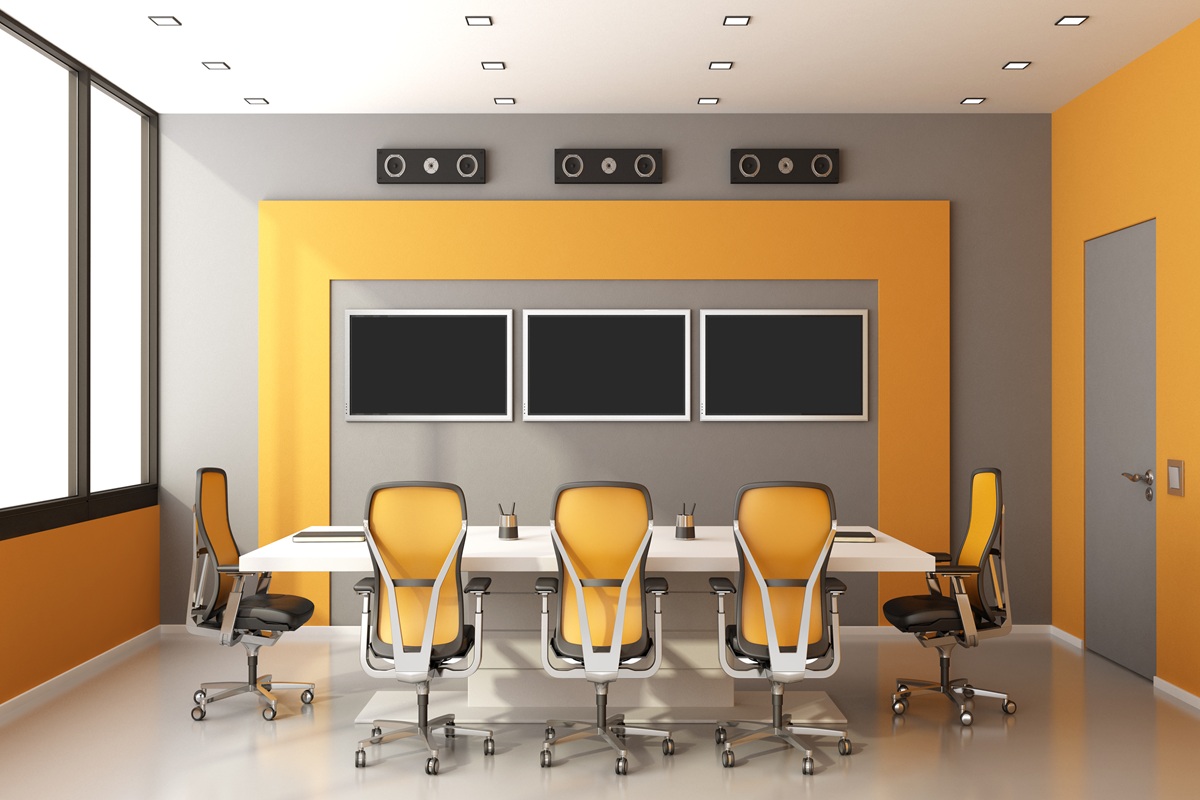
A Presentation Room Is a Communication System
This is the larger point leaders should consider.
A conference room is not simply a table, a display, and a video conferencing device.
It is a communication environment.
The display helps people see.
The audio system helps them hear.
The acoustics help them understand.
The lighting supports visibility.
The cameras connect remote participants.
The control system reduces friction.
The layout shapes participation.
When these elements are designed independently, the room may contain impressive technology while still creating a poor presentation experience.
When they are designed as one integrated system, the technology becomes almost invisible.
People focus on the conversation and the decision in front of them.
Sphere AV's commercial room technology philosophy reflects this integrated approach, combining audiovisual systems, lighting, automation, control, and collaboration technology to create consistent, intuitive room experiences.
That leads to a different way of thinking about presentation engagement.
The question is no longer only: "Was the presentation engaging?"
It becomes: "Did the room help people stay engaged?"
Not Every Presentation Room Should Be Designed the Same Way
One of the most common mistakes in presentation room design happens before any equipment is installed.
A business decides it needs a conference room, chooses a display, adds a camera and microphones, places a control panel on the table, and considers the room complete.
But the more important question should come first:
What actually needs to happen in this room?
A boardroom built for executive decision-making should not function exactly like a training room. A client presentation space has different priorities from a collaborative workshop room. A hybrid meeting space introduces needs that may barely exist in a room used primarily for in-person presentations.
Microsoft's current guidance reflects this distinction. It separates collaboration-focused rooms from presentation-focused and mixed-use spaces because the way people interact with content changes what the room needs to support.
That means presentation technology should follow the communication model of the room, not the other way around.
A Boardroom Is Built Around Conversation and Decisions
In an executive boardroom, the screen matters, but it is rarely the center of the entire experience.
People are there to discuss information, challenge assumptions, compare options, and make decisions.
The presentation may move between financial data, video calls, reports, dashboards, and discussion. Participants need to maintain eye contact with one another while still having clear access to shared content.
That creates different priorities.
The room may require displays positioned so participants do not constantly turn away from the table. Microphone coverage needs to capture conversation from every seat. Remote executives need to hear side comments and questions, not only the person formally presenting.
Control also matters because senior leaders should not have to stop a meeting to troubleshoot the room.
The success of the space is measured less by how impressive the equipment looks and more by whether the technology allows the conversation to continue uninterrupted.
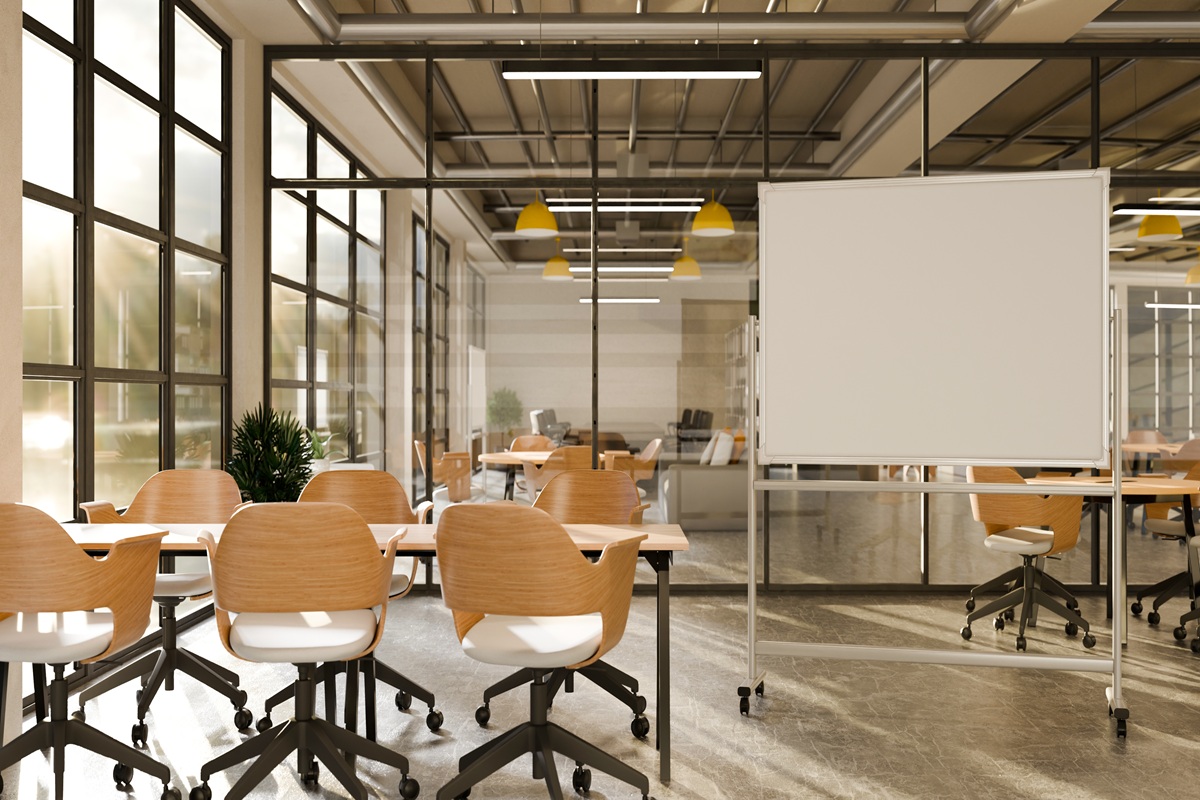
A Training Room Is Built Around Understanding
A training environment has another job.
Here, one person may be communicating information to a larger group for an extended period. Participants may need to view detailed material, watch demonstrations, ask questions, follow examples, or work through exercises.
Visibility becomes more demanding because the person farthest from the display still needs to understand the material.
Audio coverage changes because questions may come from anywhere in the room.
The space may also need to move between instructor-led presentation, video, group activities, and interactive content throughout the same session.
A room that works perfectly for eight executives around a table may perform poorly when 30 employees need to learn from the same screen.
That is why room capacity alone is not enough to determine AV design.
The activity matters.
A Client Presentation Space Is Built Around Experience
Client-facing presentations introduce another consideration: perception. The meeting itself becomes part of the organization's brand experience.
A client notices when the presentation begins instantly.
They also notice when five minutes are spent finding a cable.
They notice whether the visuals appear sharp, whether video plays correctly, whether everyone can hear the conversation, and whether the technology feels deliberate or improvised.
For premium businesses, those details communicate something before the presentation content does.
A polished room creates a sense of preparation and control. A fragmented one can create the opposite impression.
This is especially relevant for businesses operating in hospitality, premium retail, corporate offices, and other environments where Sphere AV's commercial audience places a high value on customer experience and brand perception.
The technology does not need to draw attention to itself. It needs to make the organization look prepared.
Collaboration Rooms Need People to Work With the Content
Some rooms are designed less for presenting information and more for developing it.
Teams brainstorm.
Designers review concepts.
Employees annotate diagrams.
People compare ideas, move information around, and make changes together.
A traditional display can show content well, but it may not support that behavior.
This is where technologies such as interactive displays, digital whiteboarding, wireless content sharing, and collaborative annotation can become useful.
The key phrase is "can become useful."
Interactivity should follow a real behavior.
A touch display adds little value if everyone in the room simply watches PowerPoint presentations. But in a space where teams regularly sketch, annotate, compare, or manipulate information together, the same technology can fundamentally change how the room functions.
Recent guidance on interactive meeting displays makes this distinction clearly: organizations should assess how teams actually collaborate before deciding whether interactive technology belongs in the room.
This is a valuable principle for any AV investment: Do not buy a capability simply because the technology exists.
Design around what people actually need to do.
Hybrid Rooms Have to Serve Two Experiences at Once
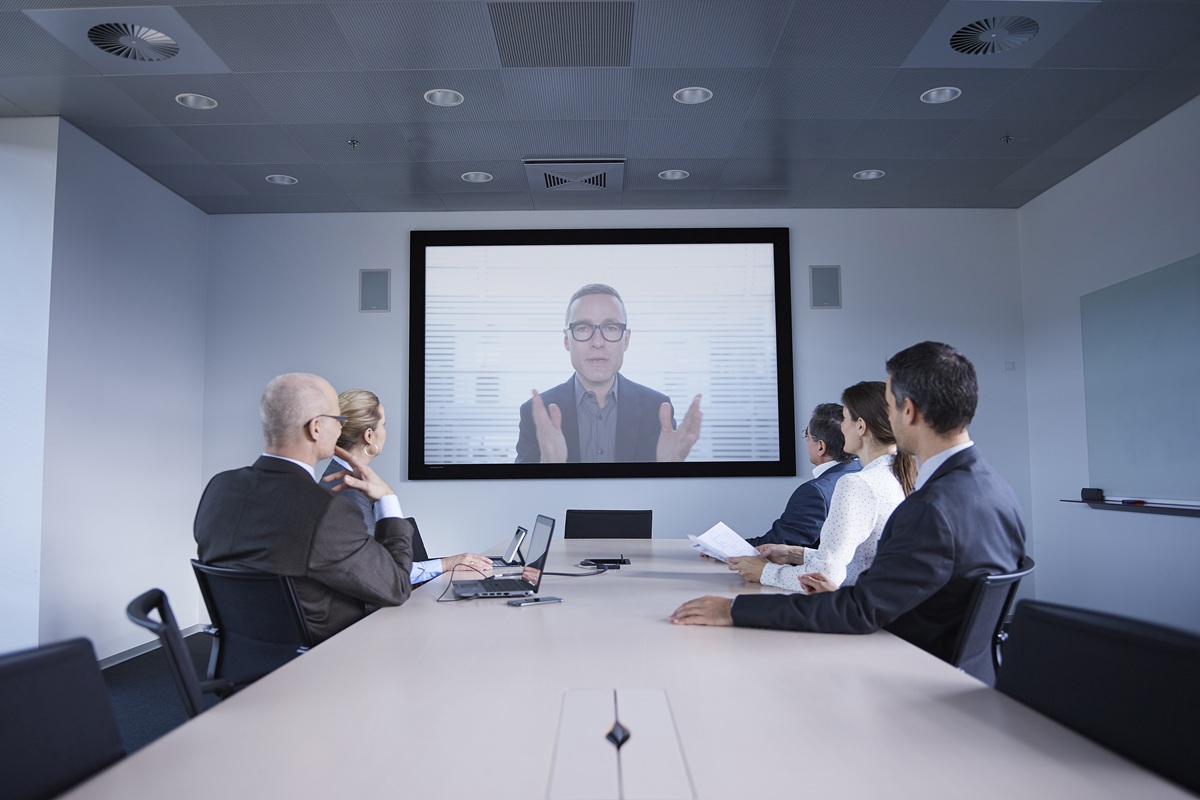
Hybrid meetings make room design considerably more complex. There is no longer one audience.
There are people inside the room and people joining from somewhere else. Both groups need access to the same conversation.
A room can work extremely well for the people sitting around the table while creating a poor experience for everyone joining remotely.
For example, the people in the room may hear one another perfectly, while remote participants struggle to understand side conversations.
The display may show the presentation clearly to everyone physically present, while the people joining online can barely see the speaker.
A single camera may technically capture the room but make remote participants feel as though they are observing the meeting from a distance.
Modern room guidance increasingly treats hybrid participation as a design requirement rather than an accessory. AVIXA highlights clear audio and visual access for remote attendees, while newer hybrid-first designs are beginning to use multiple camera angles, improved audio capture, and more intentional representation of remote participants.
A hybrid room therefore has to answer a harder question: Can everyone participate as though they belong in the same conversation?
Mixed-Use Rooms Require Flexibility Without Complexity
Many businesses cannot dedicate a separate room to every meeting type.
One conference room may host an executive meeting in the morning, a sales presentation after lunch, a hybrid client call in the afternoon, and an employee training session the next day.
That creates a different design challenge.
The room needs flexibility, but flexibility can easily become complexity.
If every meeting type requires users to reconfigure inputs, change audio settings, move equipment, select different devices, and remember a different sequence of controls, the room may technically support everything while being pleasant to use for nothing.
A better approach is to design predictable room modes around common activities.
For example:
Presentation mode might configure the main display, content source, lighting, and audio.
Video meeting mode might activate the conferencing platform, cameras, microphones, and appropriate displays.
Collaboration mode might prioritize wireless sharing or interactive displays.
These experiences can be different without forcing users to understand the technology behind them.
This aligns closely with a broader principle emerging in professional AV design: the best technology experience is often the one users stop noticing because the room behaves the way they expect.
Start With Behavior, Then Design the Technology
The mistake is beginning with: "What screen should we buy?"
A better sequence begins with:
Who uses this room?
What kinds of meetings happen here?
How many people participate?
Where are they located?
What information do they need to see?
How do they need to interact with it?
How often do remote participants join?
What usually slows meetings down?
What should someone be able to do without calling IT?
Those answers define the room far more effectively than a product list.
Only after the communication experience is clear should decisions about displays, cameras, microphones, speakers, control systems, lighting, networking, and collaboration tools begin.
That distinction is important because modern presentation rooms are no longer interchangeable collections of AV equipment.
They are purpose-built communication environments.
And when the room is designed around what people actually need to accomplish, the technology stops dictating the meeting.
It starts supporting it.
What Presentation Technology Can Actually Do for the Room
Once the room's purpose is clear, the next step is understanding what each technology is designed to improve.
The goal is not to install every available system. It is to choose the combination that supports how people need to present, collaborate, communicate, and participate.
Visual Systems: Helping People See and Understand the Content

Visual technology determines how information is displayed and how easily people can follow it.
Common options include:
commercial displays
dual-display setups
interactive displays
video walls
projectors
projection mapping
A standard display works well in smaller meeting spaces where everyone can see the content clearly. Dual-display systems are useful when a room needs to show presentation content and remote participants at the same time.
Interactive displays are more appropriate when teams need to annotate, brainstorm, review plans, or work directly with shared content.
Video walls and projection systems make more sense when the room requires larger visual scale, more information on screen, or a stronger presentation experience.
Sphere AV supports commercial display systems, video walls, projection, and interactive visual environments for spaces where standard presentation screens may not be enough.
The decision should start with one question: What does the audience need to see, and from where?
Audio Systems: Helping Everyone Hear Without Effort

Good presentation audio is about clarity, not volume.
Depending on the room, the system may include:
microphones
speakers
sound reinforcement
distributed audio
acoustical treatment
sound masking
Small rooms may work well with integrated microphones and speakers. Larger boardrooms, training spaces, and hybrid environments often need wider microphone coverage and more evenly distributed sound.
Acoustics also matter. A room with glass, concrete, or other reflective surfaces can make speech harder to understand even when the microphones and speakers are technically working.
Sphere AV's commercial capabilities include sound reinforcement, distributed audio, acoustic treatments, and sound masking designed to improve communication and comfort.
The practical goal is simple:
People should be able to hear the presentation and one another without consciously working to do so.
Collaboration and Conferencing Systems: Connecting Everyone to the Same Conversation
Modern presentation rooms often need to support more than one-way presentations.
Teams may need to:
join video meetings
share content wirelessly
collaborate on documents
bring remote participants into the discussion
move between presenters without reconnecting equipment
This is where cameras, conferencing platforms, wireless presentation systems, digital whiteboards, and interactive displays become important.
The right setup depends on how the room is used. A small meeting room may need only one intelligent camera and a simple conferencing system.
A larger boardroom may require multiple camera angles, stronger microphone coverage, and displays that allow people to see both shared content and remote participants.
The important distinction is that conferencing technology should create participation, not simply provide a video feed.
Remote attendees should be able to see, hear, contribute, and follow the conversation without feeling like observers.
Room Control and Automation: Making Complex Technology Feel Simple
As more systems are added to a room, usability becomes more important.
A presentation space may contain displays, cameras, microphones, speakers, lighting, shades, conferencing platforms, and multiple content sources.
If users need to control each one separately, the room becomes harder to operate as it becomes more capable.
Integrated room control brings those systems together.
For example, selecting "Presentation Mode" could prepare the display, lighting, audio, and content source at the same time.
"Video Meeting Mode" could activate the camera, microphones, conferencing system, and appropriate displays.
Sphere AV's room technology approach combines AV, lighting, automation, and control within a unified system so users do not have to manage each component independently.
This is one of the most important principles in modern room technology:
More capability should not create more complexity for the user.
Immersive and Experiential Technology: Moving Beyond the Traditional Screen
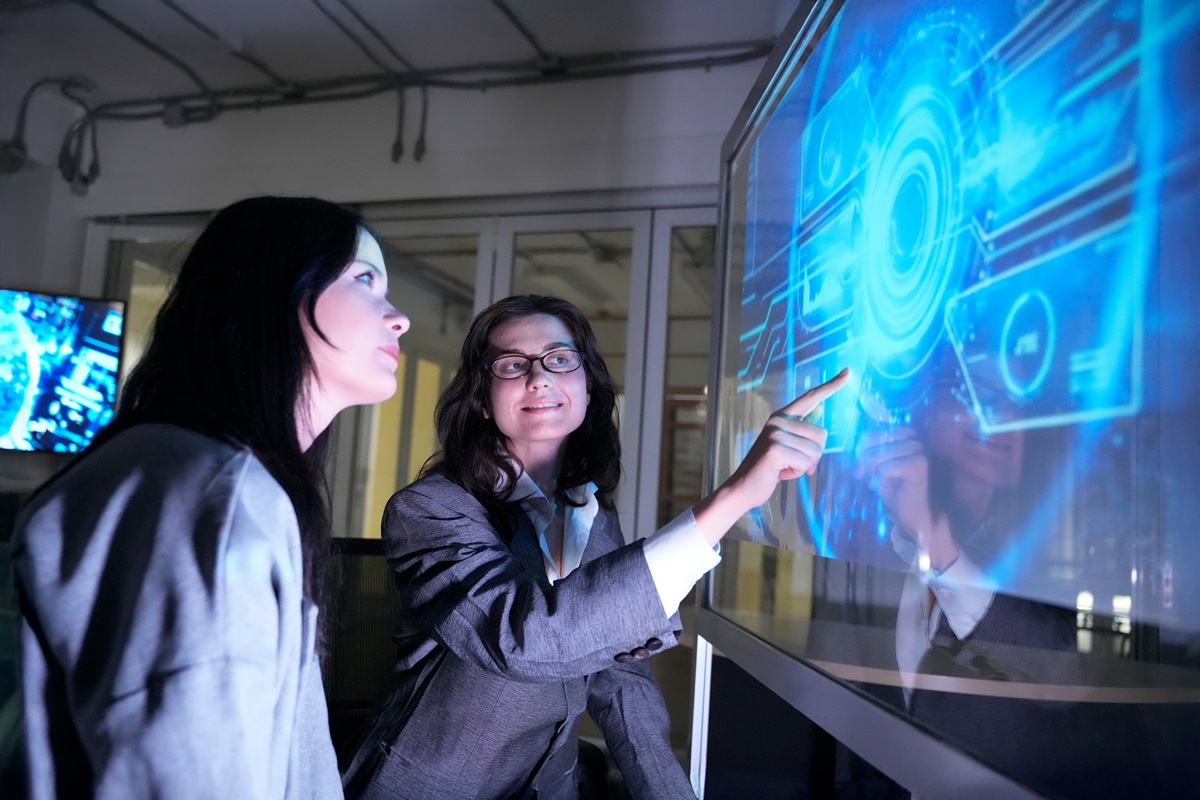
Some presentation environments need more than a conventional meeting-room setup.
Client experience centers, product launches, training environments, retail spaces, museums, events, and other high-impact settings may benefit from technology that changes how people interact with the content itself.
This can include:
large-format video walls
projection mapping
interactive projection
augmented or virtual reality
XR environments
holographic and 3D displays
These technologies can turn a presentation from something people watch into something they experience.
Sphere AV's capabilities extend into projection mapping, experiential installations, XR environments, video walls, holographic displays, and other immersive technologies.
That does not mean immersive technology belongs in every presentation space.
It becomes valuable when the communication goal depends on scale, interaction, demonstration, simulation, or emotional impact.
Choose Technology Based on the Experience You Need
The strongest presentation rooms are not necessarily the rooms with the most technology.
They are the rooms where each system has a clear job.
A boardroom may need strong conferencing, clear audio, multiple displays, and simple control.
A training room may prioritize visibility, sound coverage, presentation flexibility, and interaction.
A client experience space may place greater emphasis on large-format visuals, immersive content, lighting, and experiential technology.
The starting question should therefore be: "What do people need to be able to see, hear, understand, and do in this room?"
Once that is clear, the technology becomes much easier to evaluate.
Hybrid Presentations Need to Serve Two Audiences at Once
A hybrid presentation has two audiences: the people in the room and the people joining remotely.
If the room is designed mainly for in-person participants, remote attendees can quickly become observers rather than active participants.
That is why hybrid spaces need more than a camera and a conferencing platform.
Remote Participants Need to See, Hear, and Contribute
A strong hybrid room should allow remote participants to:
clearly hear people throughout the room
see who is speaking
follow shared content
remain visible during presentations
contribute without interrupting the flow
Microsoft's current room guidance treats camera coverage, microphone coverage, display placement, and participant visibility as core hybrid-room considerations.
Audio and Camera Coverage Matter More as Rooms Grow
A small meeting room may work well with one intelligent camera and integrated audio.
A larger boardroom may need wider microphone coverage, distributed speakers, or multiple camera views so remote participants can follow the conversation naturally.
The goal is not simply to connect the meeting.
It is to make both audiences feel like they are part of the same one.
Shared Content Should Not Make People Disappear
In many hybrid meetings, remote participants vanish from the screen as soon as someone shares a presentation.
Dual-display configurations can help by separating shared content from participant video, allowing people and information to remain visible at the same time.
A strong hybrid presentation room keeps the conversation visible, audible, and balanced for everyone involved.
How to Choose the Right Presentation Technology for Your Space
The right presentation technology depends less on what is available and more on what people need to accomplish in the room.
Before choosing equipment, define four things:
room size and seating layout
number of participants
how often remote attendees join
whether the room is mainly used for presenting, collaborating, training, or client-facing experiences
A small meeting room may only need a commercial display, conferencing system, wireless sharing, and simple controls.
A larger boardroom may require multiple displays, stronger microphone coverage, distributed audio, intelligent cameras, and integrated lighting.
A training space may prioritize visibility, sound coverage, flexible presentation sources, and interactive tools.
A client experience space may justify larger-format visuals, video walls, projection, or immersive technology when the goal is to create greater impact.
Sphere AV's commercial systems are built around this kind of use-case planning, combining displays, audio, conferencing, lighting, automation, and control based on how the space is expected to function.
The key is to avoid choosing technology in isolation.
Start with the experience the room needs to support, then build the system around it.
Common Mistakes Businesses Make When Upgrading Presentation Rooms
Upgrading a presentation room can improve communication, collaboration, and client experience. But the wrong approach can create a room that looks advanced while still frustrating the people who use it.
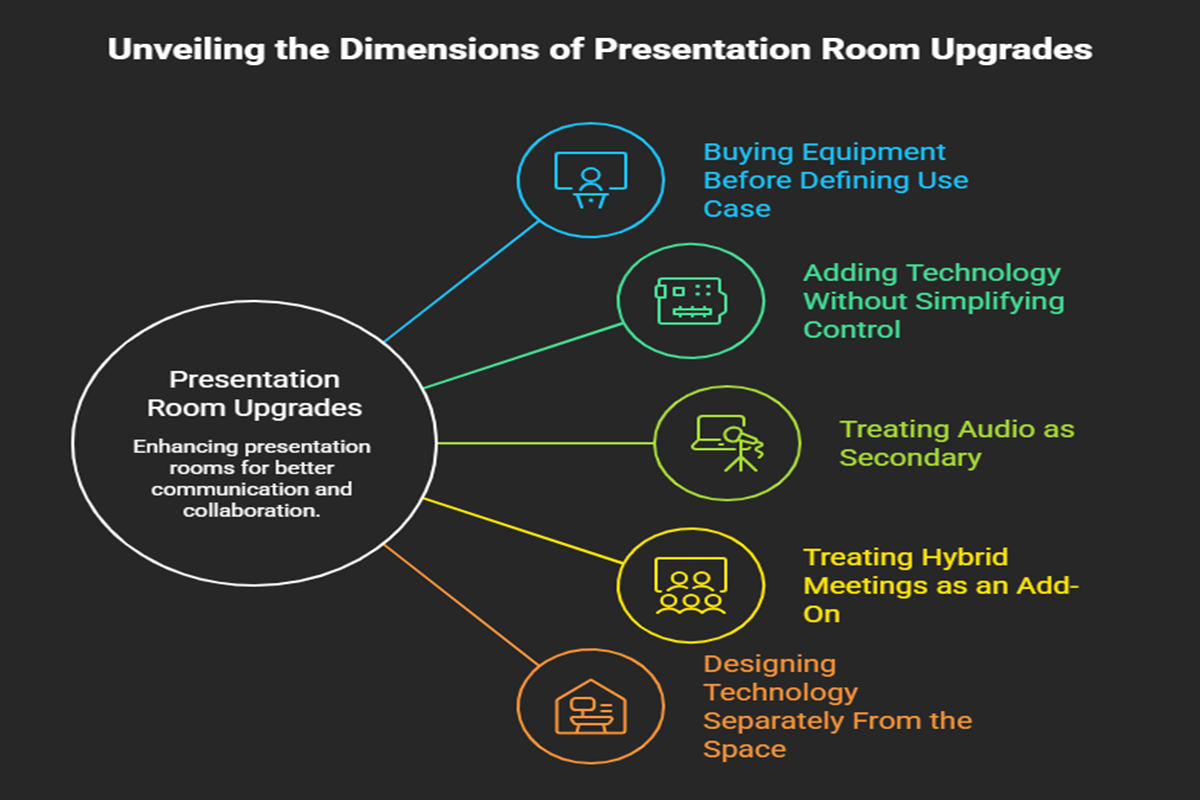
Buying Equipment Before Defining the Use Case
Choosing displays, cameras, or control systems before understanding how the room will be used often leads to mismatched technology.
A boardroom, training room, and client presentation space have different priorities. The room should be designed around those needs first.
Adding More Technology Without Simplifying Control
More capability can create more complexity.
If users need multiple remotes, apps, or input changes to start a meeting, the room becomes harder to use. Integrated control should reduce those steps and make common activities predictable.
Treating Audio as Secondary
Businesses often focus first on displays because they are the most visible part of the room.
But poor microphone coverage, weak acoustics, or uneven sound can disrupt a presentation just as quickly. Sphere AV's commercial offering includes audio, sound reinforcement, acoustical treatment, and sound masking because the room's sound environment is part of the communication experience.
Treating Hybrid Meetings as an Add-On
A camera mounted at the front of the room does not automatically create an effective hybrid space.
Remote participants still need clear audio, appropriate camera coverage, access to shared content, and a way to remain part of the conversation.
Designing Technology Separately From the Space
Technology should work with the room's architecture, lighting, furniture, and aesthetics.
This is especially important in premium commercial environments, where the technology should support the design rather than feel added afterward. That concern is also central to Sphere AV's architect and designer audience.
The common thread is simple:
A presentation room should be designed as one system, not assembled as a collection of products.
How to Evaluate Your Current Presentation Environment
Before replacing equipment, evaluate how the room performs today.
The goal is to identify where the space creates friction for presenters, participants, or remote attendees.
Ask:
Is the display visible from every seat?
Is text readable from the farthest viewing position?
Can people hear the presenter and one another without effort?
Do microphones capture voices consistently across the room?
Can remote participants clearly see and hear the conversation?
Can users start a presentation or meeting without calling IT?
Are controls simple and consistent?
Does the lighting support both the display and the people in the room?
Can the room switch easily between presentations, video meetings, and collaboration?
Does the technology fit naturally into the design of the space?
If several of these answers are no, the issue may not be one piece of equipment.
It may be the way the room was designed as a whole.
That is the point where a broader AV and room technology review becomes more valuable than replacing individual devices one at a time.
The Future of Presentations Is Experience Design
A better presentation experience is not created by replacing one screen or adding one camera.
It comes from designing the room so people can see clearly, hear effortlessly, participate naturally, and use the technology without friction.
That means bringing displays, audio, cameras, lighting, controls, and room layout together as one system.
Sphere Audio Video helps businesses design and integrate presentation environments around how the space actually needs to work.
If your current room setup is limiting communication, collaboration, or engagement, explore Sphere Audio Video’s commercial solutions to see how the right technology can create a more connected presentation experience.
Frequently Asked Questions
Why do traditional presentations struggle to hold attention?
Traditional presentations often rely on one-way communication, where the presenter speaks and the audience listens. Attention can drop further when the room adds friction through poor visibility, weak audio, difficult controls, or limited opportunities to participate.
What technology can make presentations more engaging?
Useful technologies can include commercial displays, interactive displays, video walls, projection systems, conferencing cameras, microphones, distributed audio, wireless presentation tools, integrated room control, and immersive visual systems. The right choice depends on how the room is used and what the audience needs to see, hear, and do.
How does room design affect presentation engagement?
Room design affects sightlines, display visibility, acoustics, lighting, audio clarity, camera coverage, and how easily participants can interact. When these elements are planned together, the room supports the presentation instead of competing with it.
What makes a good hybrid presentation room?
A strong hybrid room allows in-person and remote participants to see, hear, share content, and contribute naturally. That usually requires appropriate camera coverage, microphone coverage, displays, speakers, conferencing technology, and simple controls working as one system.
How do you choose the right presentation technology for a business?
Start with the room's purpose. Consider its size, audience, typical meeting types, collaboration needs, hybrid requirements, and the kind of content being presented. Then select technology around those needs rather than choosing individual products first.